CCR Pod CAN Bus AK5 Manual
Welcome to the short manual for the CCR Pod CAN Bus AK5.
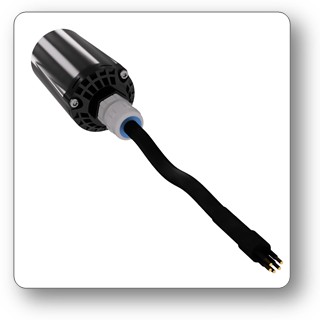
USPs
- Wireless pO2 sensor readout
- Connects to rebreathers with CAN bus, for example to the HUD port of a JJ rebreather
- Wireless bridge to SYMBIOS Dive Computers
- Transmission of mV
Specifications
- Battery: no battery, powered by the battery of the CCR head
- The supply voltage on the can bus should be between 3.3 and 4.3V
- Size: 90 mm length, 40 mm diameter
- Weight: ~110 g
- Frequency: 125 kHz
- transmission range: up to 90 cm
- transmission method: magnetic
- transmission interval: once per second
Power Management
- The device is powered by the battery of the CCR head.
- The device is actuated with water contacts.
- The device will go into standby mode, once the water contacts are dry.
Preparation
- Read the manual of the dive computer and get familiar with its operation.
- Switch the dive computer to CCR mode:
➔menu➔SETTINGS➔DIVE MODE➔CCR MODE - Activate the device
- Pair the device:
➔menu➔SETTINGS➔PAIRING➔CCR INTERFACE - Set the correct fraction of the calibration gas:
➔menu➔SETTINGS➔CCR SETTINGS➔FO2 CAL GAS - Flush the sensors with calibration gas.
- Enter the calibration menu:
➔menu➔SETTINGS➔CCR SETTINGS➔CALIBRATE CCR - Confirm the mV readings by a long press of button A.
A calibration is accepted when the output of the sensors is between 38 and 80mV @1bar pO2.
If you use less than 3 sensors, disable the sensor that are not used:
Only enabled sensors are used for pO2 warnings, decompression and CNS calculation.
Diving
The average of the enabled pO2 sensors is used to calculate tissue on/off gassing, decompression schedule and TTS forecast and CNS%. TTS and deco stop forecast is based on the current loop pO2. The claculated loop pO2 is the average of all enabled sensors, as long as the sensors are within 20% of the average. Otherwise, the lowest pO2 value is used for decompression and the highest for CNS% calculation.
Warnings
Warning pop ups and vibration alarms inform the diver about dangerous situations, like too high or too low pO2. Warnings can be confirmed by pressing both buttons long.
Bailout mode
By pressing button B long, one can toggle between CCR mode and Open Circuit bailout mode. In Open Circuit bailout mode, the first activated gas is the currently selected diluent gas.
Toubleshooting
Pairing not possible
- activate the wireless screen (setting ALL) to see if the transmitter is sending data
- activate the transmitter
- check the battery voltage / replace battery
Calibration failed
- check the sensors
- disable sensor channels that are not used
- check the setting of the fraction of the calibration gas