GPS Spool
Welcome to the short manual of the GPS Spool.
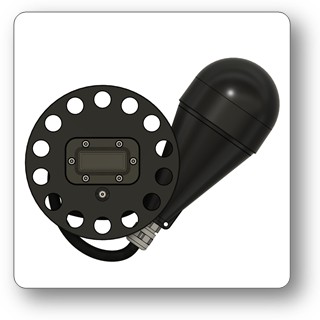
USPs
- GPS position in a max depth of 10m
- wireless link to SYMBIOS Dive Computers
- fast GPS fix (35s cold start, 4s warm start)
- compact size
Operation
Turning on
Press the button to switch on the device
Turning off
Press and hold the button for 5s to turn the device off
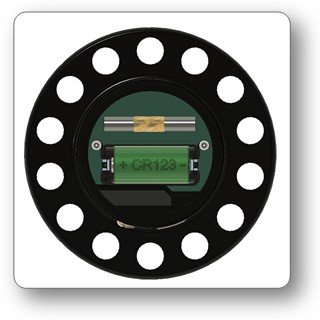
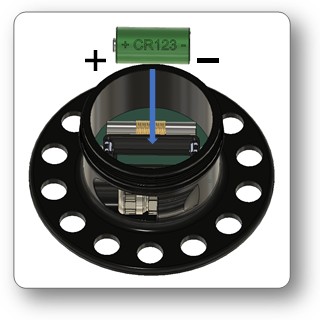
Changing the battery
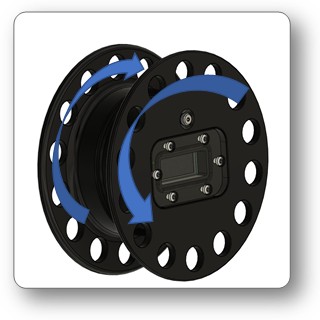
- unwind the cable
- open the spool: The spool consists of 2 threaded parts.
- exchange the battery
- check and lubricte the O-ring
- close the spool
Pairing
The GPS Spool does not need to be paired. It will be automatically recognized by the Handset or HUD.
Setting up Handset or HUD
- enable the GPS screen:
➔menu➔SYSTEM➔GPS SCRN➔ENABLE
Diving
- Turn on the GPS spool before entering the water and chek if a GPS signal is received. This may take up to approximately 1 min (cold start)
- When yu enter the water, and the dive computer has received a valid GPS signal within the last 2 minutes, this will stored in the divelog as divestart position.
- During diving, you can switch off the GPS to save battery
- Before aunching the buoy, switch o the buoy
- On the surface, the buoy hould receive a GPS signal within 5-10s.
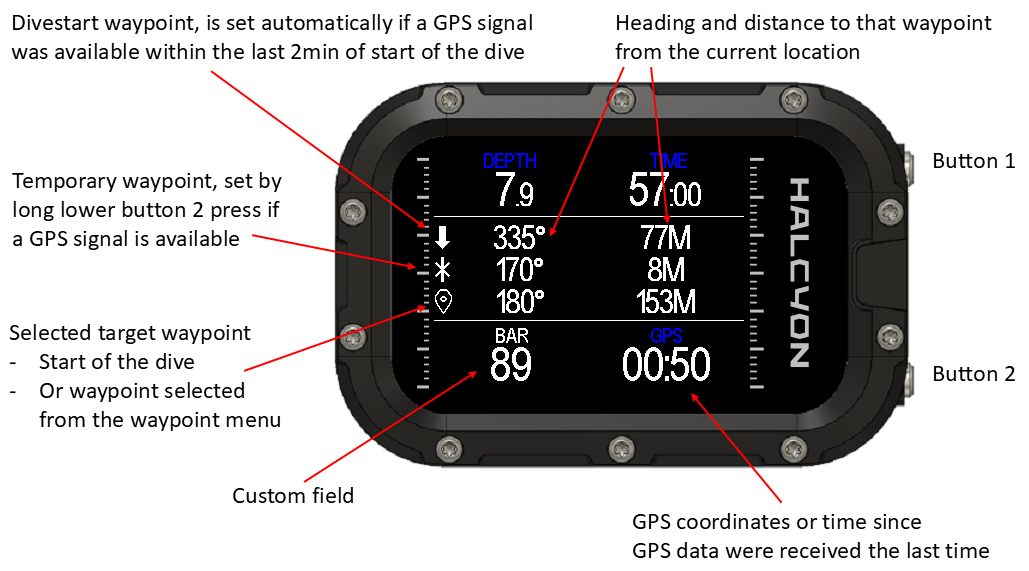
- Use the GPS screen for navigating to a waypoint of the divestart position
- You can also select a Waypoint from the Waypoint menu
- The Waypoint menu is a .gps file. It is possible to edit the .gpx or upload waypoints through the app
Using the GPS screen:
Specifications
- Depth rating: 50m
- Battery: CR124
- Current during GPS reception: < 15mA
- O-ring: 58x2.5, NBR, Shore 70
Dimensions
- Spool: Diameter 110mm, Height 48mm
- Buoy: Diameter 66mm, Height 155mm
- Cable length: 10m
Weight
- Spool: 230g
- Buoy incl. cable. 280g
Materials
- Spool: POM
- Buoy: ABS
- Cable sheeth: TPU