GPS Buoy
Welcome to the short manual of the GPS Buoy.
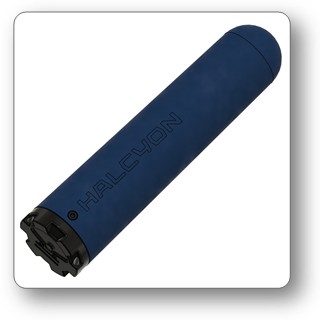
USPs
- GPS position during diving
- wireless link to SYMBIOS Dive Computers
- fast GPS fix (35s cold start, 4s warm start)
- compact size
Operation
A button and the USB charging connector are located at the lid of the GPS Buoy.
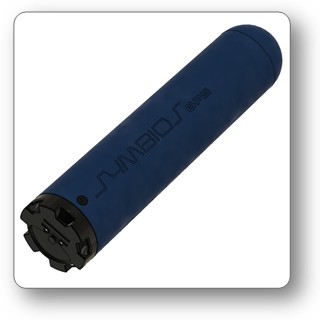
Turning on
Press and release the button to turn on the device.
Turning off
Press and hold the button for 1s to turn the device off
Emergency Transmitter
Press and hold the button for at least 5s to activate the emergency transmittier. In this mode, the current location is transmitted once per second via the inbuildt LORA transmitter. Note: To increase the tranmission range, the buoy as well as the receiving antenna (on a boat, land, etc) should be as high as possible above the water. High waves may reduce the maximum transmission distance.
Charging the battery
- rinse in fresh water and dry the buoy before charging
- connect the buoy with the magnetic charging cable to USB outlet (5V outlet, minimum 0.5A)
- the charging state of the buoy is displyed on the GPS screen
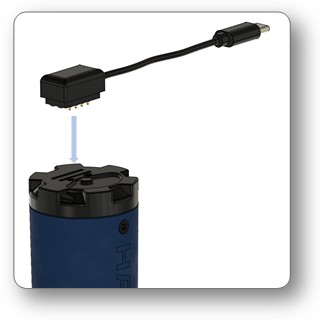
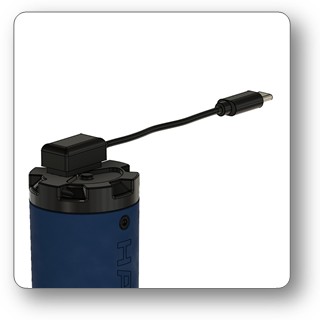
Pairing
The GPS Buoy does not need to be paired. It will be automatically recognized by the Handset or HUD.
Setting up Handset or HUD
- enable the GPS screen:
➔menu➔SYSTEM➔GPS SCRN➔ENABLE
Diving
- Turn on the GPS buoy before entering the water and chek if a GPS signal is received. This may take up to approximately 1 min (cold start)
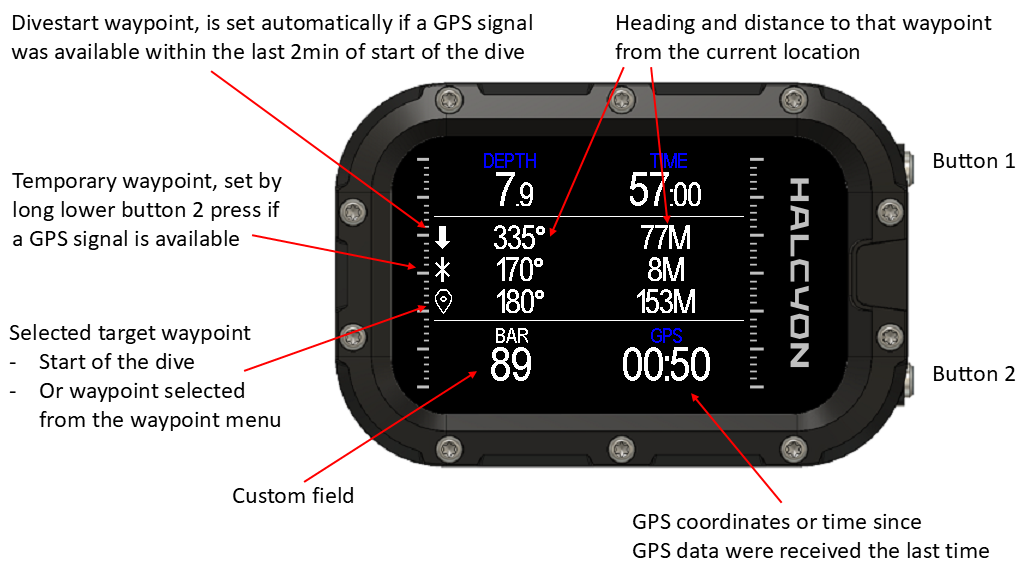
- When yu enter the water, and the dive computer has received a valid GPS signal within the last 2 minutes, this will stored in the divelog as divestart position.
- During diving, you can switch off the GPS buoy to save battery
- Before launching the buoy, switch on the buoy
- On the surface, the buoy hould receive a GPS signal within 5-10s.
- Retrieve the buoy
- The transmission distance is approximately 80cm - 1m. Once the buoy is in close vicinity to the dive computer, the dive computer will receive the current position.
- Use the GPS screen for navigating to a waypoint of the divestart position
- You can also select a Waypoint from the Waypoint menu
- The Waypoint menu is a *.gps file. It is possible to edit the *.gpx or upload waypoints through the app
Using the GPS screen:
Specifications
- Depth rating: 100m
- Battery: rechargeable Li Ion Battery, Type: 603030, 510mAh
- Multi-GNSS engine for GPS, GLONASS, BeiDou, Galileo and QZSS
- Current during GPS reception: <= 15mA
- Wireless Emergency Transmitter: LORA, 868 MHz
- BT 5.0 Tranceiver
- 125 kHz Wireless Transmitter, SYMBIOS compatible
- Length:193mm
- Diameter: 45mm
- Weight: 131g
- Displacement: 264 cm³
- Positive buoyancy: 1.31 N
Materials
- Housing: ABS
- Lid: POM
- Button, Screws and Pins: AISI316